
3 Ways to Build an Unbreakable Digital Shield
Summer's here, and while you're out touching grass (or at least pretending to), the internet gremlins are still working overtime. Let's lock things down with three layers of protection that actually make sense in 2026.
Here is a quick overview of the three topics that we are going to be discussing at this years summit.
- Software Security | Immutable Distros
- Hardware Security | FIDO Keys
- Repository Security | Signing your Git commits
I also have a YouTube video that goes over all this information, if that is more your speed. You can check that out here: Youtube Video Alright, so let's get into it!
The Software Shield: Why Your Next Linux Distro Should Be Immutable
Linux has always been a fortress. Granular permissions, thousands of eyes on the open-source code, and rock-solid architecture mean most malware gets bodied at the gate.
But here's the scary truth: what if you accidentally run something nasty with root privileges? Or an update goes sideways and bricks your desktop? On a traditional distro, you're looking at a long, painful recovery night full of recovery USBs and praying to the WinPE gods.
Enter the new generation of immutable Linux distros. These bad boys are flipping the script and building an unbreakable Software Shield around your machine.
The Hook: You've Already Been Using One (Steam Deck Gang)
If you own a Steam Deck, congratulations — you've been living in the immutable future without even realizing it.
Valve doesn't patch hundreds of files on a live system like traditional Linux. They swap out the entire OS image in the background. Mess up Desktop Mode with sketchy mods or nuclear scripts? Just reboot. The chaos vanishes. Your clean baseline returns like nothing happened.
That's the magic.
How the Shield Actually Works
It's simpler than it sounds:
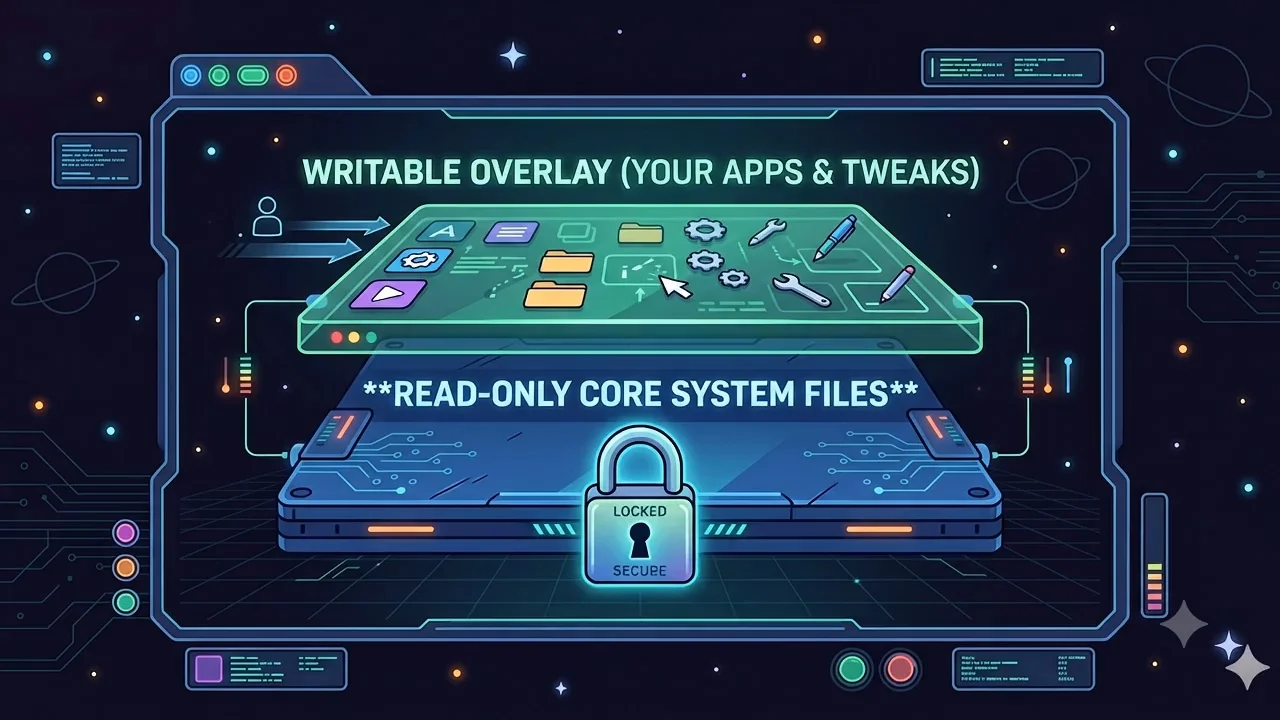
- Layer 1: The Write-Protected Core — The entire base OS is locked down and read-only. Malware, bad updates, even you on a bad decision day can't touch it.
- Layer 2: The Writable Overlay — Your files, settings, and customizations live on a separate layer. Full freedom, zero foundation risk.
- Layer 3: Containerized Apps — Everything runs in isolated bubbles (Flatpak, AppImage, Podman, Distrobox). If an app gets compromised, it's trapped in its own little prison.
Update goes wrong? Roll back to a previous perfect image from the boot menu. It's System Restore on steroids. No more apt-get bricking your system or extension drama destroying your graphics drivers.
Now the real question: which immutable distro should you actually daily drive?
1. Aurora (The Seamless Daily Driver)
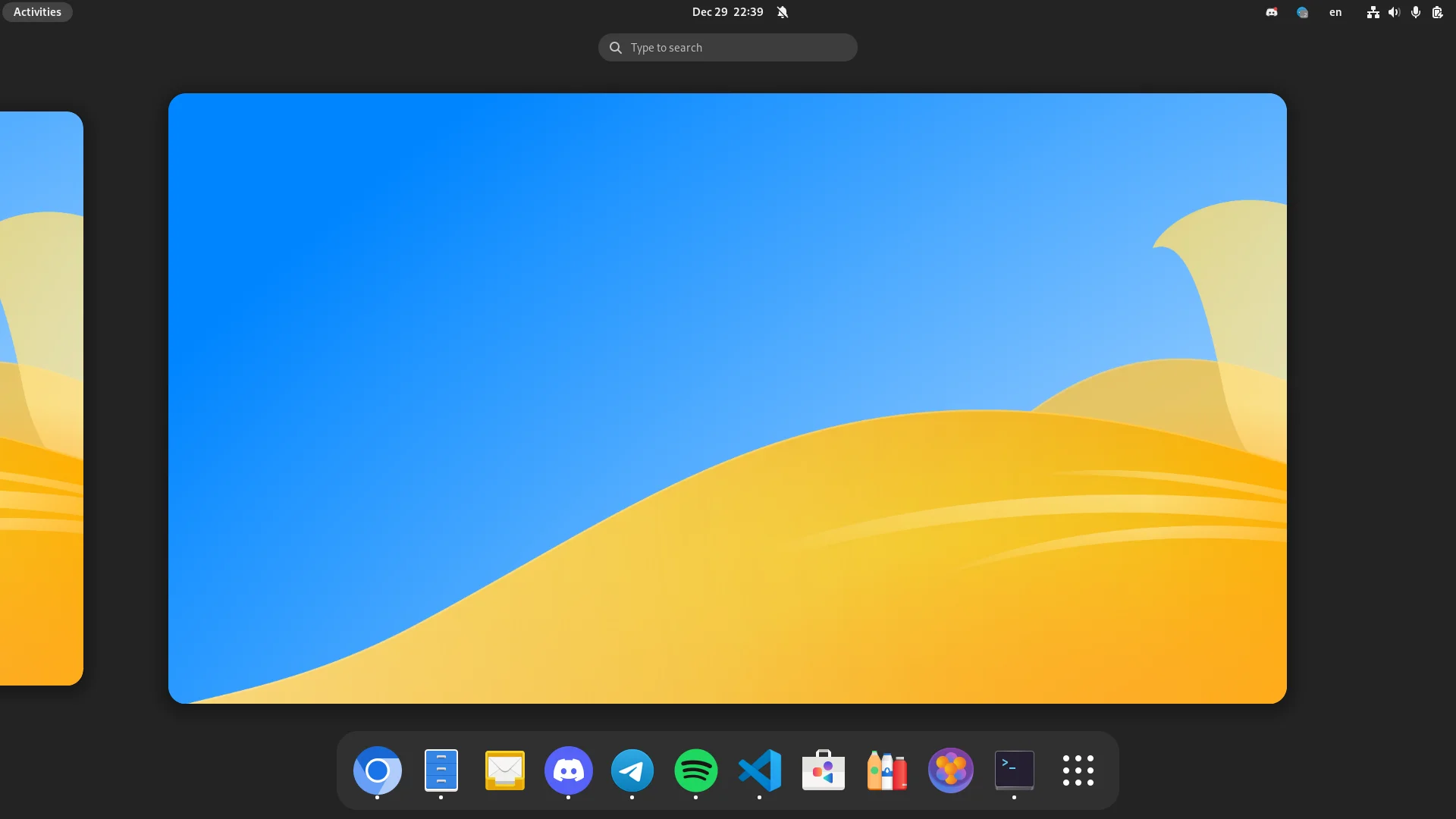
Aurora is built on Fedora Silverblue with a stunning KDE Plasma desktop. This is the one you can hand to your non-tech friend and they'll just say "it works."
Updates happen silently. Flatpaks stay fresh. It comes with Distrobox and a slick GUI (DistroShelf) so you can spin up other distros in containers completely risk-free. Beautiful, safe, and actually fun to use.
Their website is absolutely stunning — easily top tier in the Linux world. The documentation? Clean, gorgeous, and actually helpful (unlike most open source projects).
2. Vanilla OS (The Flexible Powerhouse)
Vanilla OS 2 Orchid brings the heat with a Debian base and their custom ABRoot system. Two root filesystems mean updates happen on the inactive one — you reboot into perfection while your current session stays untouched.
The real flex? Universal app support. Flatpaks, native Debian packages, Arch packages, even Android apps via Waydroid — all properly isolated. Maximum flexibility, zero security compromise.
Another banger website and impeccable docs. These folks clearly put in maximum effort.
3. NixOS (The Declarative Fort Knox)
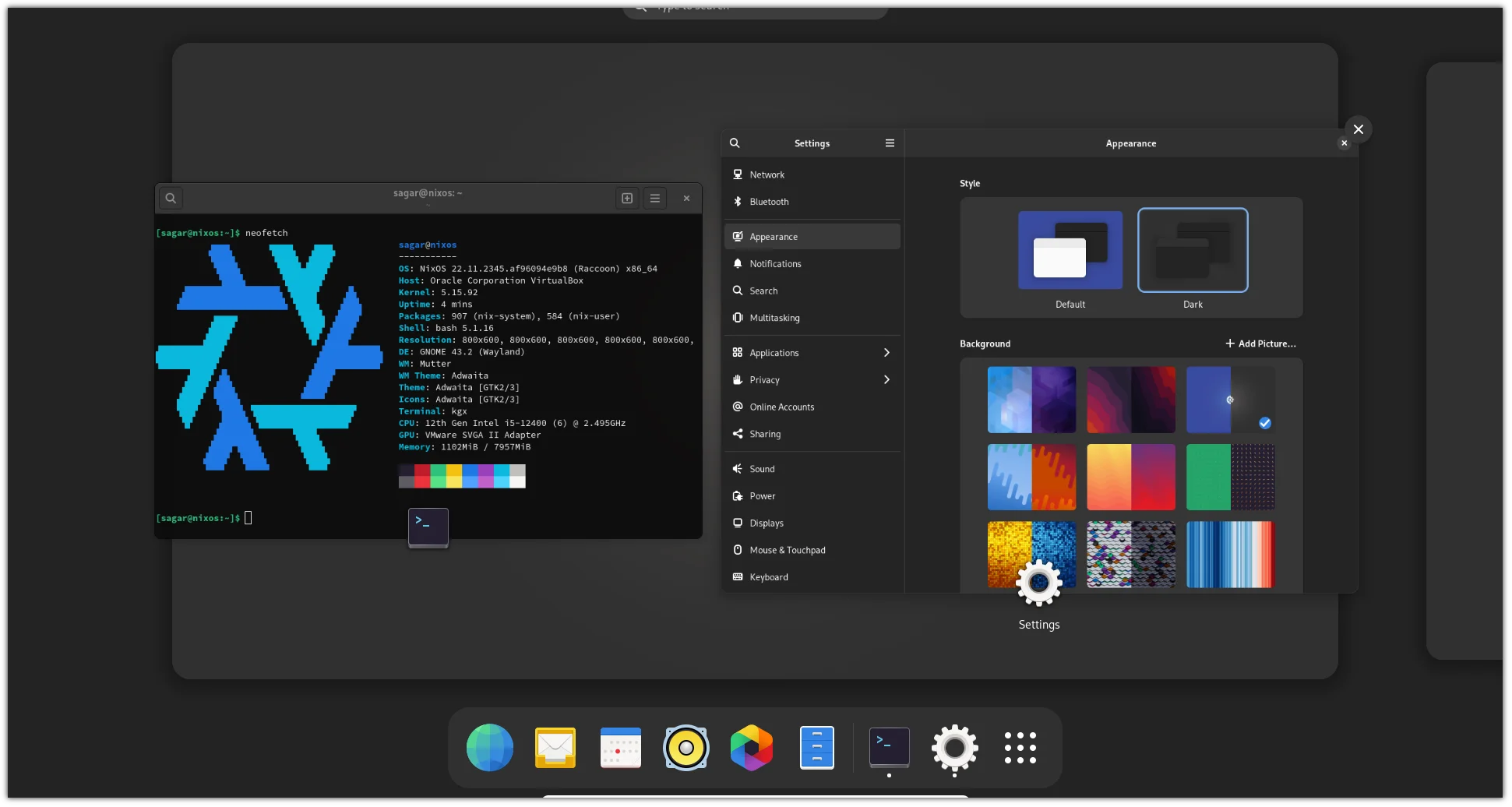
NixOS is the final boss. It throws out the traditional Linux filesystem and puts everything in the legendary /nix/store. Your entire system is declared in a single configuration.nix file.
Break something? Malware tries to mess with settings? Just rebuild or roll back to any previous generation instantly. Reproducible, version-controlled, and borderline bulletproof.
If you love control and hate chaos, NixOS is pure bliss. The website fits the vibe perfectly — functional over flashy, just like the distro itself.
The Hardware Shield: Your Digital Skeleton Key
Summer travel season means new risks. Phone gets pickpocketed on the beach. Dodgy hotel Wi-Fi. Zero cell service in a remote village. SMS 2FA suddenly looks real dumb.
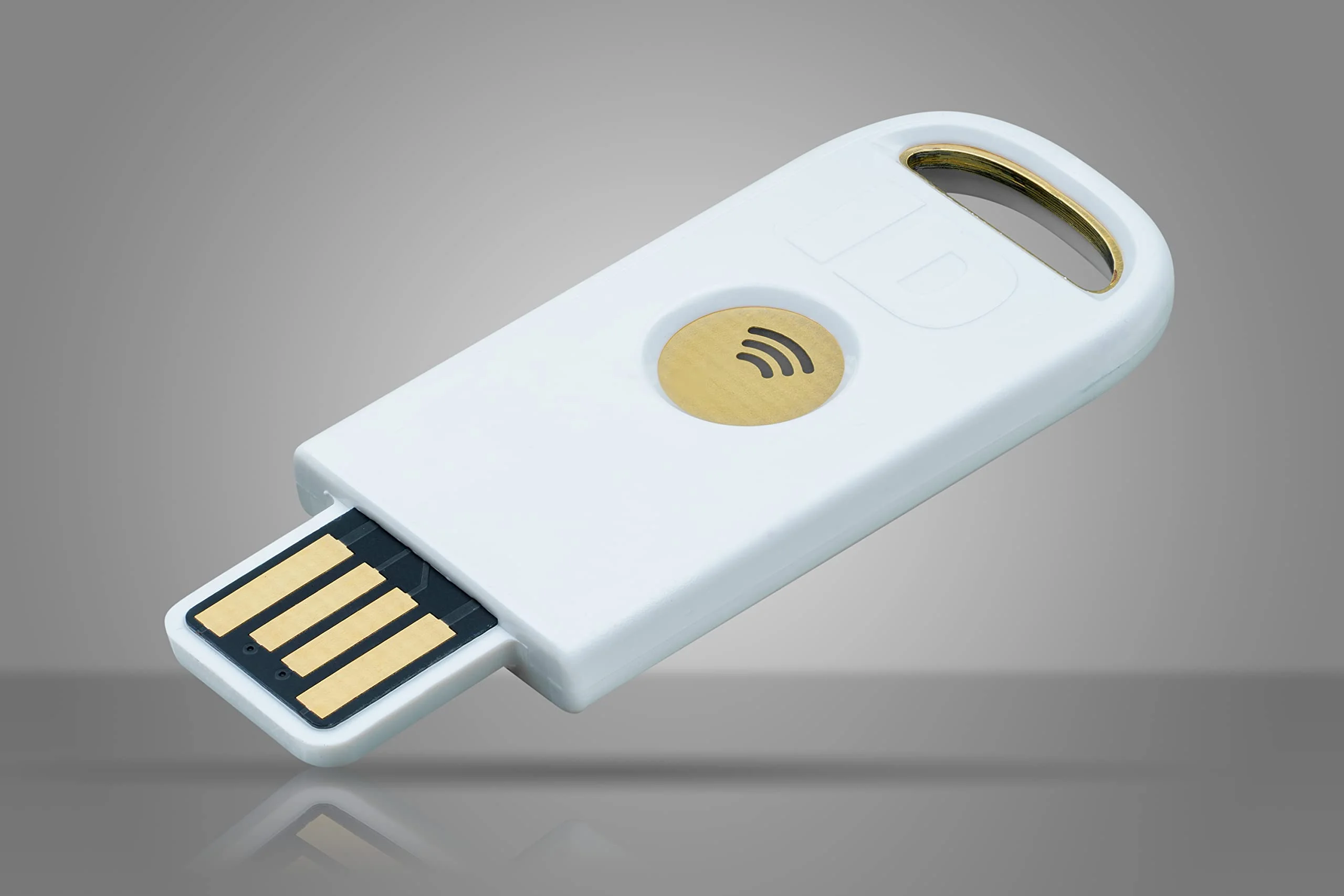
This is why you need a hardware security key — whether it's a YubiKey or my personal favorite, the uTrust FIDO2 USB-C key.
Even if someone steals all your passwords, they still need the physical key in their pocket. When you log into Google, GitHub, Microsoft, etc., the site challenges the key. You plug it in (or tap via NFC), touch the button, and boom — cryptographic proof you're really you.
Keeper Security
Types of Keys and more Details
A really great website that goes into more details about hardware security is "Keeper Security". Here is a quote from their article on the subject:
Hardware security keys are one of the most secure Multi-Factor Authentication (MFA) methods available. Since they’re physical devices, they fall under the “something you have” category of authentication factors — in contrast to “something you know” (a password), “something you are” (biometrics) or “somewhere you are” (device location). Because you physically possess your hardware security key, the likelihood of unauthorized access to your account is much lower. However, hardware security keys also pose a few security risks, including cost, compatibility and risk of loss or theft.
| Benefits of hardware security keys | Risks of hardware security keys |
|---|---|
| Strong security and phishing protection | Limited compatibility |
| Convenient to use | More expensive than other authentication methods |
| Reduced risk of account takeover attacks | Risk of theft or loss |
| Works across multiple devices and platforms | Requires backup planning |
Checkout this article for more information https://www.keepersecurity.com/blog/2023/05/09/what-is-a-hardware-security-key-and-how-does-it-work/
Find the Right Key for Yourself
Everyone loves an internet quiz
The Goats of FIDO Keys themselves, Yubico and their Yubikeys, have put out a really cool little quiz on their website that can help you decide exactly what kind of key you should get. YOu answer a few questions and get a response, its pretty easy and straightforward. Obviously they are going to sell you a Yubikey branded one, but thats not a bad thing, especially if you can afford it.
Checkout their quiz and website for more info:
The Developer Shield: Cryptographic Commit Signing
Now that you and I are on the same metaphorical page in terms of hardware keys, let’s take things a step further.
These keys aren’t just for logging into your email. If you’re a developer, or open source contributor, these keys have the power to save your job, and they certainly will make your fellow contributors jealous of your cool green badge.
These Keys have one more trick, you can store your GPG and SSH keys directly on the hardware security key. The private keys never leave the device — they’re protected by the same tamper-resistant chip used in passports and credit cards.
Storying those keys becomes incredibly useful when using Git to commit your code to a repository.
You can configure Git so that every single commit you make requires a physical tap on your hardware key. The key cryptographically signs the commit using your GPG key.
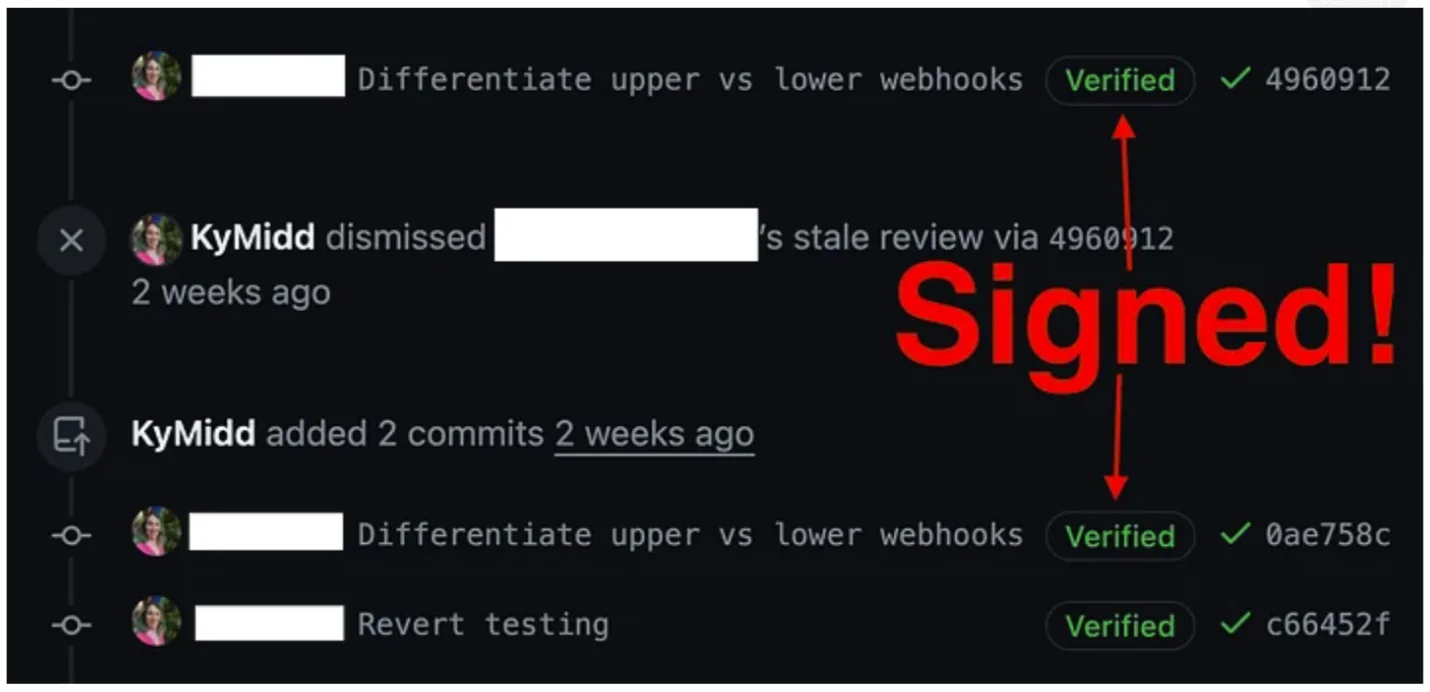
When it hits GitHub, you get that beautiful bright green “Verified” badge.
It’s not just security theater — it’s mathematical proof that you wrote that code. No one else. Not a compromised account. Not an impostor. You.
As part of the Summertime Security Summit, I want to highlight a couple recent attacks. These are a new kind of attack that targets code repositories specifically.
The two I want to mention are the Megalodon Campaign and the Shai-Hulud Worm.
Both of these attacks targeted the developer ecosystem by exploiting trust, but they did so using fundamentally different strategies.
1. The Megalodon Campaign: The Automated Flood
The Megalodon campaign is a textbook example of a Direct Poisoned Pipeline Execution (d-PPE) attack. In May 2026, it executed an incredibly aggressive blitz, pushing over 5,700 malicious commits to more than 5,500 GitHub repositories in a single six-hour window.
How It Works
- The Injection: Megalodon targets public GitHub repositories by submitting fake automated commits or pull requests that sneak a malicious YAML file into the repository's .github/workflows/ directory.
- The Execution: The moment a repository owner unknowingly merges this commit, GitHub Actions automatically triggers the newly injected, malicious workflow.
- The Theft: Once running inside the privileged CI/CD runner environment, the script executes an obfuscated Base64-encoded payload. It runs commands like aws configure list-profiles and scans environment variables using regex to harvest AWS keys, Slack tokens, GitHub tokens, PyPI secrets, and npm credentials.
- The Exfiltration: All stolen data is compiled and sent via a POST request to an external Command and Control (C2) server.
How It Impersonates People
Megalodon doesn't hack specific user accounts; it impersonates automated bots.
- Forged Identity: Git allows anyone to change their local configuration to use any name and email address. Megalodon spoofs standard automation emails like [email protected], [email protected], or pipeline-bot.
- Disguised Commits: It uses highly convincing, mundane commit messages like:
- ci: add build optimization step
- chore: update ci/cd pipeline
- fix: correct build workflow
- Anomalous Metadata: To look like an automated system archiving or syncing, it often uses bizarre, hardcoded commit timestamps (such as dating commits back to September 17, 2001, or throwing them forward into 2099).
2. The Shai-Hulud Worm: The Self-Replicating Sandworm
Attributed to a threat group known as TeamPCP, Shai-Hulud (and its recent 2026 variant, Miasma) is a highly dangerous, autonomous, self-replicating worm targeting package registries (npm and PyPI) and developer environments.
How It Works
- The Hook: The worm hides inside trojanized versions of open-source packages or injected .github/setup.js files. It often abuses package lifecycle scripts (preinstall or postinstall hooks) to execute before an installation even finishes.
- The Harvest: Once running on a developer’s machine or a CI pipeline, it acts as a deep credential harvester—scraping memory, cloud configurations, and environment variables for Kubernetes, Azure, AWS, GCP, and GitHub tokens.
- Autonomous Propagation: Unlike Megalodon, which is driven by an attacker's central server, Shai-Hulud is a worm. It takes the stolen npm or GitHub tokens it just harvested and immediately uses them to autonomously push infected updates to every other repository or package the victim has write access to. This creates an exponential, runaway chain reaction.
- AI Tool Targeting: Shai-Hulud explicitly targets AI coding agents and IDE extensions. When an AI tool or developer opens an infected repository to analyze it, the worm executes silently in the background.
How It Impersonates People
Shai-Hulud doesn't just fake an identity; it hijacks real developer identities.
- Account Compromise: Attackers initially gain access via sophisticated phishing (such as fake 2FA/TOTP capture pages) or compromised developer devices (via poisoned VS Code extensions).
- Valid Provenance: Because the worm compromises the actual developer's environment or requests short-lived OpenID Connect (OIDC) tokens from a legitimate GitHub Actions run, the malicious code it publishes carries valid SLSA provenance. To GitHub or npm, the attack looks completely identical to a trusted, legitimate maintainer releasing a routine package update.
3. How Cryptographic Signing Protects You
To explain this to your audience, you can use a physical analogy: Git email addresses are like return addresses written on an envelope—anyone can write any name they want on them. Cryptographic signing is like a wax seal or a digital notary that proves the envelope actually came from the owner.
Commit and Tag Signing (GPG / SSH Keys)
By default, Git does not verify who actually wrote a commit. If you tell Git your email is [email protected], Git will happily stamp that name on the commit.
When a developer uses a GPG or SSH key to cryptographically sign their commits:
- The developer uses a local private key to sign the code change.
- GitHub/GitLab uses the developer's public key to verify it.
- If the signature matches, a green "Verified" badge appears next to the commit.
Why this stops Megalodon: If the Megalodon bot pushes a commit pretending to be [email protected], it will lack the private cryptographic key required to sign the commit. The commit will show up as "Unverified".
Enforcing Branch Protection
To leverage signing defensively, organizations must enable Branch Protection Rules that require all commits to be signed before they can be merged. If Megalodon attempts to slip a malicious YAML workflow file via an unsigned commit, the repository will automatically reject the pull request, stopping the attack dead in its tracks.
Tightening OIDC and Pipeline Signatures
For advanced threats like Shai-Hulud—which attempts to abuse automated GitHub Actions to sign malicious packages with valid provenance—the defense requires stricter OIDC (OpenID Connect) trust policies.
Instead of letting a cloud provider trust any workflow running inside your GitHub organization, security teams must configure their trust policies to only accept cryptographic tokens generated by specific, explicitly named repositories and branches. If the worm attempts to run from a rogue fork or a newly created malicious workflow file, the cloud provider will refuse to issue the short-lived credentials.
Summertime Security Summary: The Full Chain of Trust
Layer an immutable OS core + hardware-backed keys + strict commit signing and you get a complete defense-in-depth setup. Your local machine is hardened, authentication is basically unphishable, and every line of code you push is cryptographically bound to your physical identity.
The software supply chain is about to get wild with AI-vibe-coders raw-dogging dependencies. Better get your defenses in order now.
Quick Recommendation Guide:
- Want a polished daily driver? → Aurora
- Want maximum flexibility? → Vanilla OS
- Want god-mode control? → NixOS
The peace of mind is genuinely addictive.
Big thanks to 9to5Linux, SwitchedtoLinux, and Vimjoyer for some of the footage that helped visualize all this.
Drop a comment: Are you making the switch to immutable, or staying traditional for now? And what's your current hardware key setup?
If you're enjoying these deep dives into Linux and zero-trust setups, smash that like button and subscribe for more. Peace. ✌️




Comments
Add Comment
All Comments
// NO_COMMENTS_IN_BUFFER
Establish initialization protocol by creating the baseline entry trace.
System Moderation Interceptor is ON for this communication hub. All user transmission vectors must clear access protocol filtration approvals before broadcasting logs live to public network arrays.